 Ammar Ali
Before the redesign: find what is worth keeping
Start with pages, not menus. Export landing pages and queries from Search Console, and use your analytics to see which pages lead to enquiries, calls, or purchases if those actions are already tracked. Compare a representative period and note seasonality, promotions, or missing tracking. A service page with ten visits and two good enquiries may matter more than an article with a thousand visits and no connection to the business.
Build a list of the URLs you need to account for. Pull from the existing sitemap and navigation, then add important landing pages, campaign URLs that still get visits, and frequently linked files. Mark each address keep, move, or retire. Include its language, the purpose it serves, the proposed destination, and who checks it. A simple spreadsheet is enough, as long as it lists the actual URLs and not just page labels.
When a page still serves the same purpose, keeping its address is usually the simplest choice. Changing your layout, navigation label or technology doesn’t require renaming the URL. Keep the useful material too: a page that used to describe a service, give indicative prices and answer booking questions shouldn’t become a photo and a one-line slogan. Improve the explanation without making the visitor hunt for it.
During the build: map the moves and test the routes
If a page really needs a new address, use a permanent server-side redirect, normally 301 or 308, to the closest equivalent. An old lesson page should lead to the new lesson page, and an old room page to the matching accommodation information. Redirect an Arabic page to an Arabic equivalent where one exists. Check that the destination returns 200 and go there in one hop where possible. Don’t make someone follow an old URL through two redesigns before they reach today’s page.
If there’s no meaningful replacement, a genuine 404 or 410 is better than sending visitors to an unrelated homepage. If you combine overlapping pages, redirect them to the page that actually preserves the information. Then update navigation, links inside articles, and the sitemap to use the final addresses directly. Google’s site-move guide and redirect documentation explain how these signals are interpreted.
Keep staging out of public search. Restrict access when you can, and check before launch that temporary indexing rules haven’t carried over to production. On the launch build, check the final HTTPS host, page titles, canonical tags, mobile layout, and any links between real language equivalents. A canonical tag identifies a preferred address; it doesn’t send a person there, and it doesn’t replace a redirect for a removed URL. Google’s canonical guidance explains why internal links, the sitemap and canonicals should agree.
What this looked like on a real project
On the Home Waves Kabalana redesign, the surf lessons page and accommodation page kept their existing addresses. They still answer separate questions: what lessons are available, and how to check villa availability. We also verified that a deep URL on the www host led to the same page on the preferred HTTPS host without losing its path or query. That demonstrates continuity of access, not a claim that the redesign increased rankings or bookings.
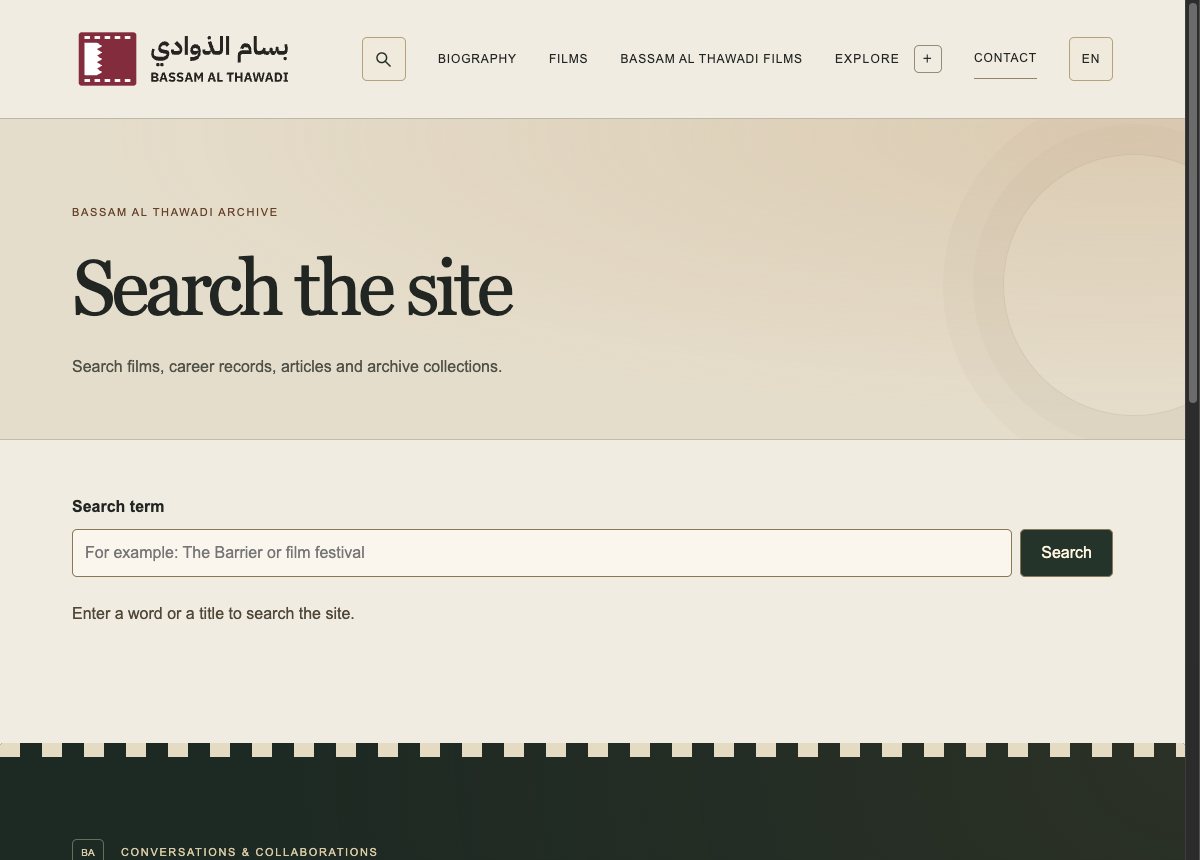
Not every old address needs to stay put. On Bassam Al Thawadi’s archive, the old Egyptian festival videos page redirects to the video section of the consolidated festival page, rather than to the archive homepage. A visitor following an old bookmark can still reach the material they wanted.
At launch: test what Google and visitors actually reach
- Open the priority pages on the public domain, not just in preview. Check the content and a real mobile viewport.
- Test the old addresses against the redirect map. Check the status and final destination, including a sample of links from external sites. Check that a genuinely missing page returns an error.
- Make sure priority pages are accessible to crawlers and not unintentionally marked
noindex. Submit the current sitemap in Search Console and inspect a sample of important URLs. A submitted sitemap is a discovery signal, not a guarantee of indexing. - Test the actual enquiry, checkout or booking path in a controlled way. Verify what analytics counts. Opening WhatsApp, for example, is not the same as sending a message or completing a booking.

After launch: watch pages, not just totals
Check for broken routes and tracking problems first. Over the following weeks, compare Search Console clicks and impressions for the priority landing pages and their relevant queries. When a URL moved, consider both the old and the new address in your review. Compare equivalent days and account for seasonality or campaigns. Keep Google Search clicks, measured sessions, and confirmed enquiries separate. They answer different questions and won’t always line up.
An example from MaroonDM’s own data
Google web search, 1–31 October 2026
- Google search clicks
- 190
- Search impressions
- 4.63K
The monthly total is a reference point, not evidence of what a redesign caused. Compare periods of the same length where possible. Then check priority landing pages and their search queries individually.
If a page falls away, start with its specific evidence: does the old URL lead to the right place? Is the new page indexable? Did it lose the answer people were looking for? Compare the page, the query, and the action people wanted to take before making another broad change. Search reporting can lag and temporary fluctuations can happen; neither a good first day nor a bad one proves the lasting impact of a redesign. Keep the redirect map and pre-launch baseline so someone can investigate without reconstructing the old site from memory.
If you’re planning a redesign, start by listing the five Google landing pages you would least want to lose. That short list keeps the redesign discussion tied to what customers already need, and gives your team something concrete to test before it goes live.
Put this into practice
Read the guide to Local SEO in Bahrain. Turn website visits into enquiries.
See how our website modernisation service keeps the important pages in scope.