
Start with the right criteria
Rent/buy, area, property type and bedroom choices give the property search a clear starting point.
 Start a conversation
Turn a broad property search into a useful next step.
An English and Arabic property website that brings listings, neighbourhood context and adviser contact into one browsing journey.
The homepage frames the first decisions; the property collection supports a more focused comparison.
Property seekers compare more than photographs. Rent or buy, location, budget and home type all shape the shortlist. Owners have a different goal again. The website needs to help these visitors find a relevant route without losing the human advice behind the business.
We brought search-led browsing together with property detail, area information and services. The homepage separates the first property-search decisions from deeper guidance. Listing cards surface useful comparisons, neighbourhood sections add context and adviser information keeps the next conversation personal. English and Arabic layouts support both reading directions.
Rent/buy, area, property type and bedroom choices give the property search a clear starting point.
Listing cards and area information connect property facts with the surroundings that influence a move.
Adviser and service routes connect browsing with a relevant conversation, including a separate path for owners.
One way visitors can move through the website.
These benefits explain the design intent, not measured performance results.
Rent/buy choices and filters for area, type, bedrooms and practical preferences.
A property shortlist depends on daily-life constraints, not just the most striking photograph.
Helps visitors narrow the collection to homes that match their priorities.
Cards place price, location, bedrooms, bathrooms and size beside each property image.
Consistent information lets visitors compare relevant facts without opening every listing.
Supports a more informed shortlist; actual availability still needs confirmation at enquiry.
Neighbourhood information and named-adviser routes complement the property collection.
A move involves the area and the people supporting it, not only the home itself.
Connects the browsing decision with local context and a relevant human conversation.
The same page at three viewport sizes. Select any screen to explore the detail.
Renters, buyers and owners can identify whether they want to rent, buy, list or manage a property. Area, budget and requirements give the WhatsApp conversation useful context. Phone and email provide alternative routes; the form is an enquiry, not a property reservation.
Finding a property, listing, valuation and management have a service-brief route. A specific property has its own viewing request beside the assigned agent, with a preferred day, time and notes. Both prepare a WhatsApp conversation; neither confirms an appointment or transaction.
For a visitor who has chosen a particular property: contact details and a preferred day and time lead into a conversation with the agent shown on that listing, rather than a general enquiry.
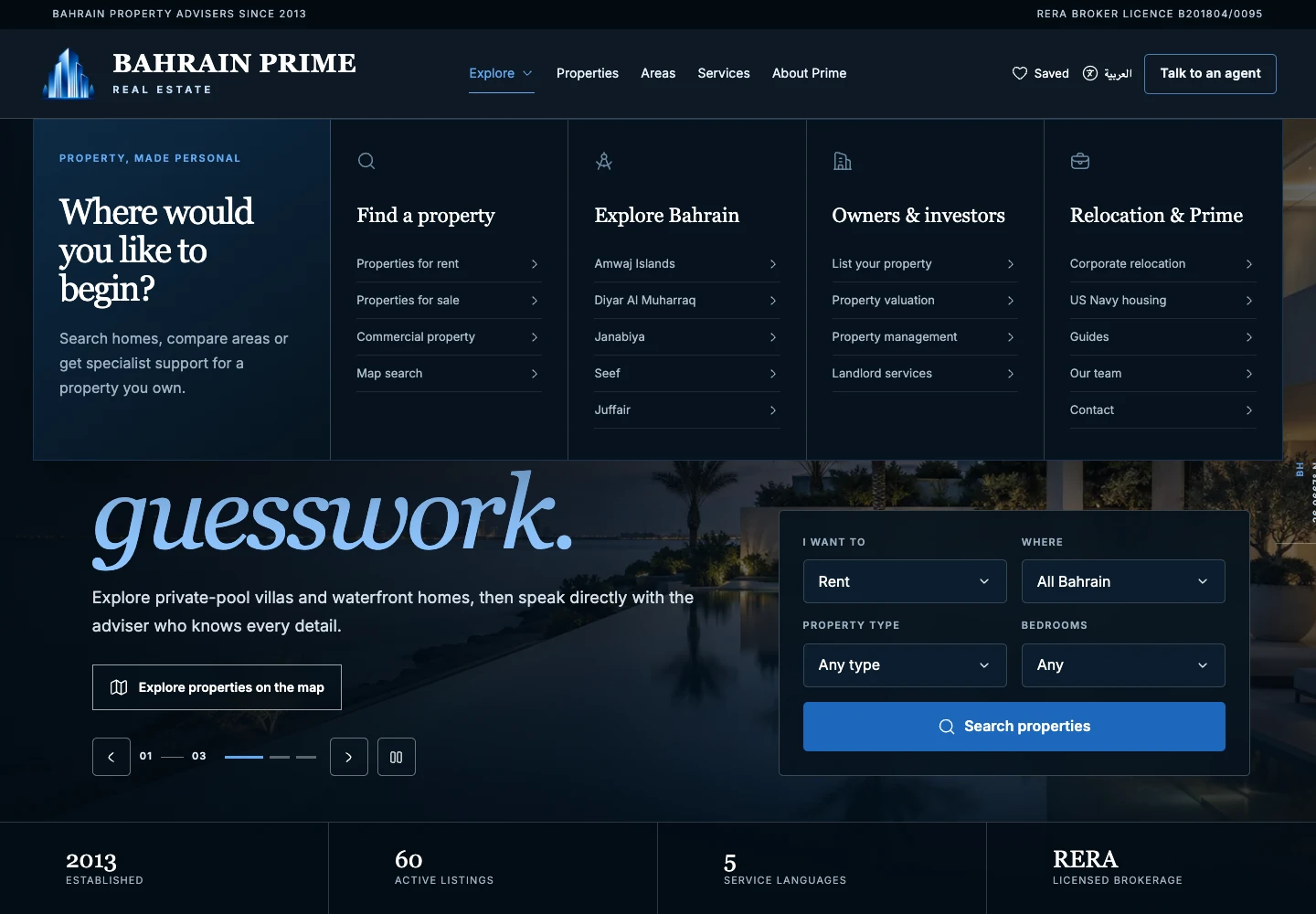
The Explore menu groups property search, area discovery, owner and investor services, and relocation support. The open menu stays in the homepage context, helping visitors choose a useful starting point before going deeper.
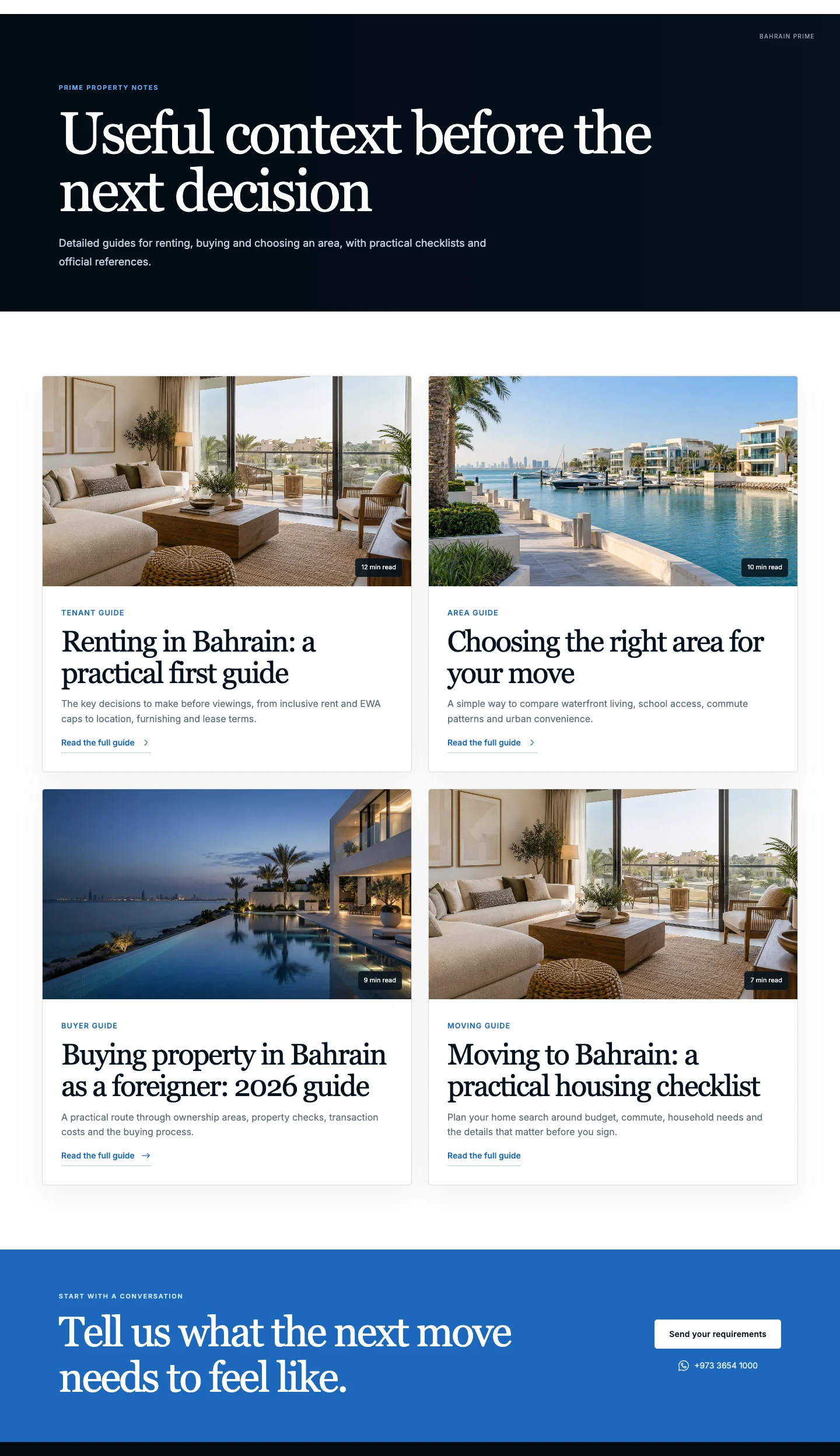
Bahrain Prime’s guides give tenants, buyers and people relocating to Bahrain practical starting points. Area and moving guidance sit alongside property discovery, helping visitors explore their questions before choosing an enquiry route.
A bilingual property-browsing experience that connects listings, local context and human support. No sales uplift, lead increase or completed transaction is claimed here.
Two real views of the same interior page show how the content is presented for each language, while keeping the next step clear.
Tell us about your business goals and what you need from your website. We’ll clarify the scope and the right next step before proposing the work.